
One Connection
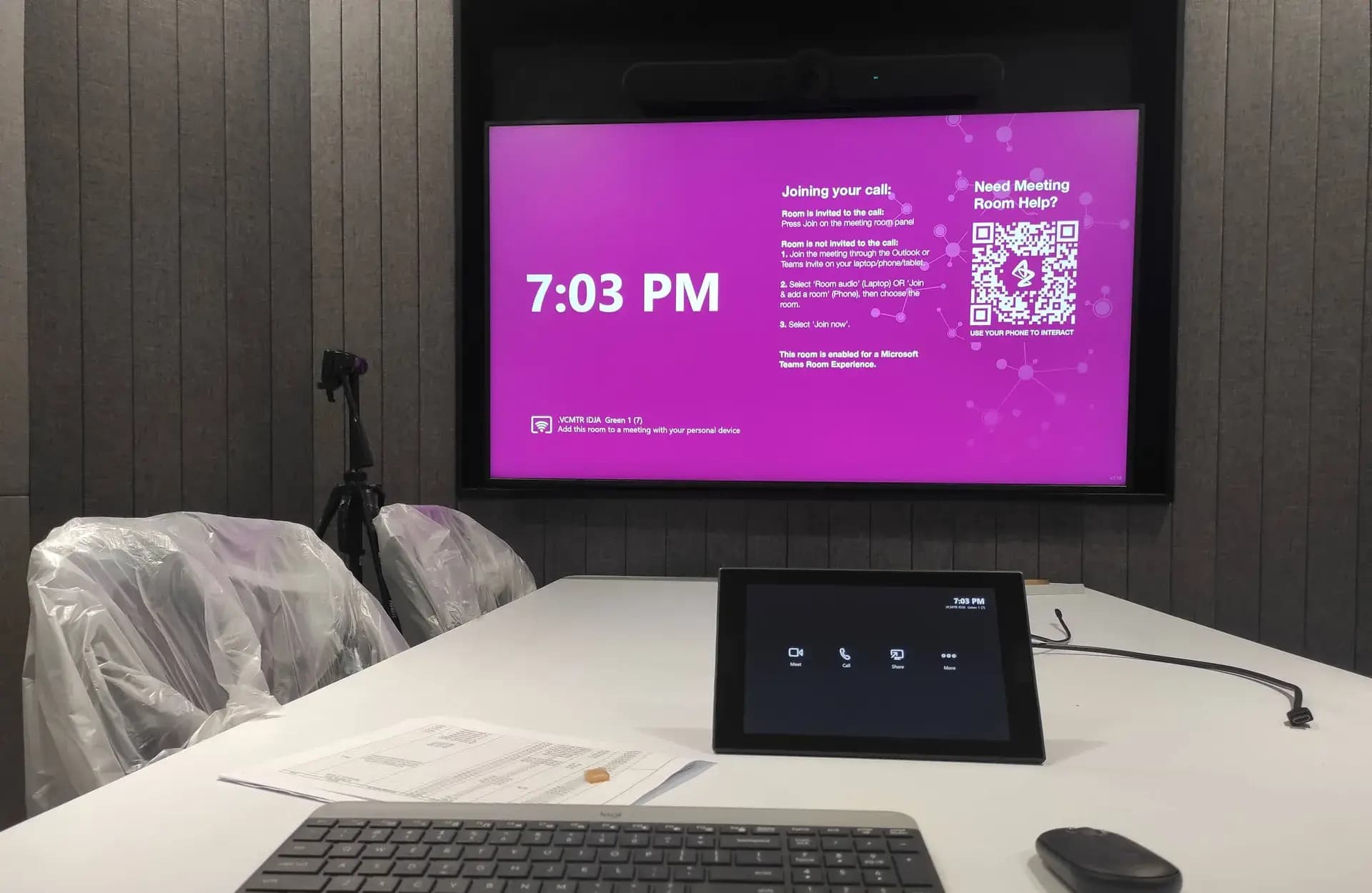
A single USB-C cable or wireless link connects the laptop to the room’s screen, camera, microphones, and speakers at once.
AV & IT System Integrator · Jakarta & All of Indonesia
We bring dozens of devices from different brands together into one system — one connection, one button, one panel. Audio, video, conferencing, control, and networking work as a single whole.
A system integrator brings devices from different brands and technologies together into one system that behaves as a single whole — not just a collection of equipment that happens to share a room.
A modern meeting room might contain Shure microphones, a Q-SYS DSP, Sony cameras, Samsung displays, a Microsoft Teams Rooms codec, and a Crestron control panel. Each has its own protocol, network address, and logic. The integrator’s job is to make them all recognise one another — so the user presses a single "Start Meeting" button and the entire system configures itself.
A single USB-C cable or wireless link connects the laptop to the room’s screen, camera, microphones, and speakers at once.
A "Start Meeting" button powers the display, selects the input, frames the camera, and joins Teams or Zoom automatically.
Audio, video, lighting, blinds, and even air conditioning controlled from one touch screen with the same layout in every room.
Audio and video travel over the IP network — Dante, NDI, or AV over IP — so there is less cabling and rooms are easy to add.
Device status across every room is monitored from a single dashboard, so faults are caught before users complain.
Rooms work the same way on every floor and in every branch — users never have to relearn when they change rooms.
We are brand-neutral: the equipment mix is chosen from the project’s needs. These are the product categories and brands we integrate most often.
Audio processing, microphones, and loudspeakers — the backbone of clear sound.





The brains of the system: control processors, touch panels, matrix switchers, and signal extenders.



Meeting room devices certified for Microsoft Teams Rooms and Zoom Rooms.







Interactive displays, video walls, and projectors for spaces from huddle rooms to auditoriums.




Wireless screen sharing, live broadcast production, and scheduled digital signage.




Brackets, racks, and PoE power that keep installations tidy, safe, and easy to maintain.




Two phases, six steps — from the requirements audit to formal handover of the system.
Architecting the system before anything is installed
The existing design is verified against site conditions, and existing equipment is audited for what is still worth keeping.
OutputAudit report & requirements list
Signal flow, network plan (VLAN, QoS), and control logic are designed together with your IT team.
OutputSignal flow & network plan
Equipment is sourced through official distribution, then assembled and configured in our workshop first.
OutputSystem tested in our workshop
Unifying, testing, and handing over the system
The system is installed and connected to the network, keeping time on your site short.
OutputDevices installed & connected
Control panel programming, DSP configuration, and scenario tuning to match how people actually work.
OutputProgram files & DSP configuration
Measured testing, as-built documentation, user training, then formal handover.
OutputHandover report & as-built documents
Answers to the questions we hear most often before an integration project begins.
Because we handle the layer that decides whether a project succeeds: control programming, DSP configuration, AV over IP routing, and measured testing before handover. Our team is Q-SYS certified, used to working within corporate IT network policy, sources equipment through official channels, and hands the program source code over to you — backed by more than 100 AV & IT projects since 2019.
You need an AV system integrator when a space uses more than one type of device that has to work together — microphones, cameras, displays, and a conferencing platform all driven from a single panel, for example. If you are hanging a single television, you do not need an integrator. The moment you need "one button to start the meeting", integration work begins.
Yes, and we do it often. We begin with an audit of your existing equipment to establish what is still worth keeping and what needs replacing because its firmware is no longer supported. This approach usually saves a substantial amount compared with replacing the entire system.
GVM works with world-class AV & IT brands including Q-SYS, Biamp, Crestron, Extron, Shure, Sennheiser, Bose, Yamaha, Poly, Logitech, Cisco, Samsung, LG, Sony, Epson, and Barco. Because our approach is brand-neutral, the equipment mix is decided by the project’s technical requirements — not by a brand we are obliged to sell.
Yes. Control panel program files and DSP configurations, with backups, are handed over together with as-built documentation — diagrams, IP address lists, and credentials. Your system is never locked to a single vendor and can be maintained by anyone in the future.
A single meeting room is typically completed in 5–10 working days on site. Multi-room offices take 3–6 weeks, auditoriums or hotel ballrooms 2–4 weeks, and large projects such as government buildings or stadiums 1–3 months. Most configuration is completed in our workshop beforehand to keep disruption at your site to a minimum.
Yes. Every project includes a warranty period on the integration work, alongside manufacturer warranties on the equipment itself. Beyond that, scheduled maintenance contracts are available with priority response, preventive inspections, and planned firmware updates.
Tell us which devices and platforms you use — GVM’s integration team will shape the architecture around them.